While everyone debates which LLM is "best" (spoiler: it changes every Tuesday), a quiet revolution is happening.
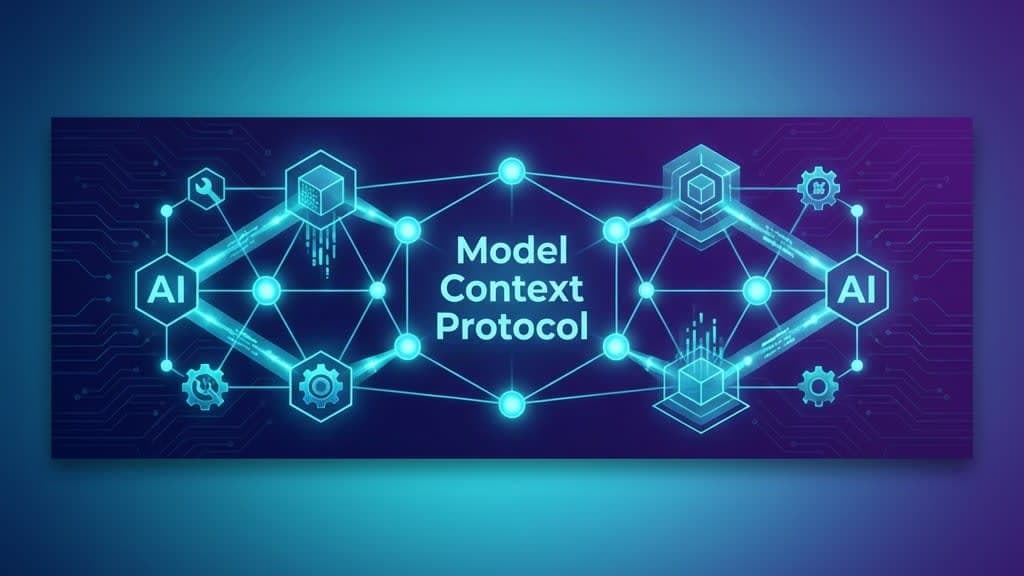
It's called Model Context Protocol (MCP).
And unlike the 400 other "game changers" announced this week, this one actually matters.
What is MCP?
Imagine you're an AI assistant. A user asks you to:
- Check their calendar
- Find a meeting conflict
- Reschedule the conflicting event
- Send an email about the change
Without MCP, you need custom integrations for each service. Calendar API. Email API. Each with different auth, different formats, different quirks.
With MCP? One universal protocol. The AI speaks MCP. The tools speak MCP. Everyone understands everyone.
// MCP makes this possible
const tools = await mcp.connect(['calendar://google', 'email://gmail', 'files://dropbox']);

// AI can now use any of these seamlessly
It's like USB for AI tools. Plug in anything. It just works.
Did You Know?
Trivia: The MCP specification is open source. Anthropic published it, but anyone can implement it. This is the HTTP of AI tooling—a standard, not a proprietary lock-in.
Why I Got Certified Early
Anthropic released MCP courses in late 2025. I completed:
- Intro to Model Context Protocol
- MCP Advanced Topics
Why rush? Because fear of missing out (FOMO) is my primary motivator.
Also, when React came out, early adopters got senior positions while everyone else was still arguing about jQuery. I am not making that mistake again. I want to be the person who says "I was into MCP before it was cool."
The Agentic AI Shift
2024 was about chatbots. "Talk to the AI, get a response."
2025 is about agents. "Give the AI a goal, let it figure out the steps."
MCP enables the second paradigm. An agent can:
- Discover available tools dynamically
- Request permissions as needed
- Chain actions across multiple services
- Report progress in real-time
Without MCP, building this requires duct tape and prayers. With MCP, it's elegant.
A Real Example
At Medianeth, I'm building AI automation workflows.
Old approach:
# Hard-code every integration
if user.wants_calendar:
    calendar_api = GoogleCalendarAPI(credentials)
    events = calendar_api.get_events()

if user.wants_email:
    email_api = GmailAPI(different_credentials)
    # Different auth flow, different error handling
MCP approach:
# AI discovers and uses tools at runtime
available_tools = await mcp.list_tools()
result = await agent.execute(
    goal="Schedule a meeting and notify participants",
    tools=available_tools
)
The AI handles the complexity. I define the goal.
Did you know? With MCP, the same agent code can work with Slack, Discord, Teams, or any messaging platform that implements the protocol. Write once, integrate everywhere.
The Skeptic's Concerns
"Isn't this just another API standard?"
Yes and no. APIs are for developers. MCP is for AI agents.
The difference? AI agents need:
- Tool discovery (what can I use?)
- Capability negotiation (what can this tool do?)
- Stateful sessions (remember what I'm doing)
- Error recovery (handle failures gracefully)
Normal APIs assume a human is interpreting the docs. MCP assumes an AI is reading the schema.
My New Workflow: "Does It Have MCP?"
Here's how MCP has changed how I evaluate every new tool:
Before I even look at documentation, my first question is:
"Does it have MCP support?"
I'm not joking. It's become a filter. If a tool doesn't speak MCP, I start wondering if it's future-proof.
Real Example: The Cloudinary Migration
I was storing images locally for this very portfolio. It worked, but local images mean no CDN optimization, manual compression, no easy transformations, and asset management headaches.
Then I discovered Cloudinary has MCP support.
My brain immediately went: "Oh, this just got easy."
Here's what the migration looked like:
- Connect to Cloudinary via MCP — AI authenticates and discovers available tools
- Iterate through local images — Agent finds all assets in my project
- Upload each to Cloudinary — Proper naming, folder structure, auto-optimization
- Update references in codebase — Replace local paths with Cloudinary URLs
- Verify and clean up — Remove old local files
Doing this manually? Hours. Opening dashboards. Dragging files. Copying URLs. Regretting my life choices.
Doing this with MCP? I described the goal. The AI handled execution. I grabbed coffee. I stared out the window. I felt successful.
What would have been an afternoon of drudgery became 20 minutes of watching a progress bar. Which is my favorite kind of work.
The New Technology Checklist
Now when I'm evaluating any new service or library:
- Does it solve my problem? ✅
- Is the documentation good? ✅
- Does it have MCP support? ⬅️ THE NEW REQUIREMENT
If yes: Future-proof. AI agents integrate seamlessly. If no: Still usable, but betting on a shrinking ecosystem.
The tools that get this early become "AI-native." The ones that don't are like websites that weren't mobile-responsive in 2015.
Why You Should Learn It Now
The best time to learn MCP was when it launched. The second best time is today.
Here's my prediction:
- 2025: Early adopters build MCP-enabled products
- 2026: Major platforms add MCP support
- 2027: MCP becomes a standard interview topic
- 2028: "MCP experience required" appears in job listings
Right now, you can get ahead of that curve.
Resources
- MCP Specification (open source)
- Anthropic's certification courses (free)
- Build something small: Connect an AI to your local file system via MCP
The future of AI isn't just better models.
It's smarter connections.
And MCP is the wire. 🔌